
AI Business Card Design from ChatGPT or LLM?
Convert to Print-Ready File & Get It Printed
Send us your design and we can provide you a quote for converting it and having it printed.
AI-Designed Business Card? Here’s Why the File From an LLM Chatbot Usually Can’t Be Printed — and How Your Business Card Guy Fixes It
You asked ChatGPT, Claude, Grok, Gemini, or another LLM chatbot to design a business card. It gave you a nice-looking image or mockup. You downloaded it… and then ran into a wall when you tried to get it printed.
This is extremely common. Here’s exactly why the file an LLM chatbot provides is almost never print-ready, and how Your Business Card Guy takes your AI-generated design mockup or proof and turns it into a professional, print-ready file that gets printed and shipped to you.
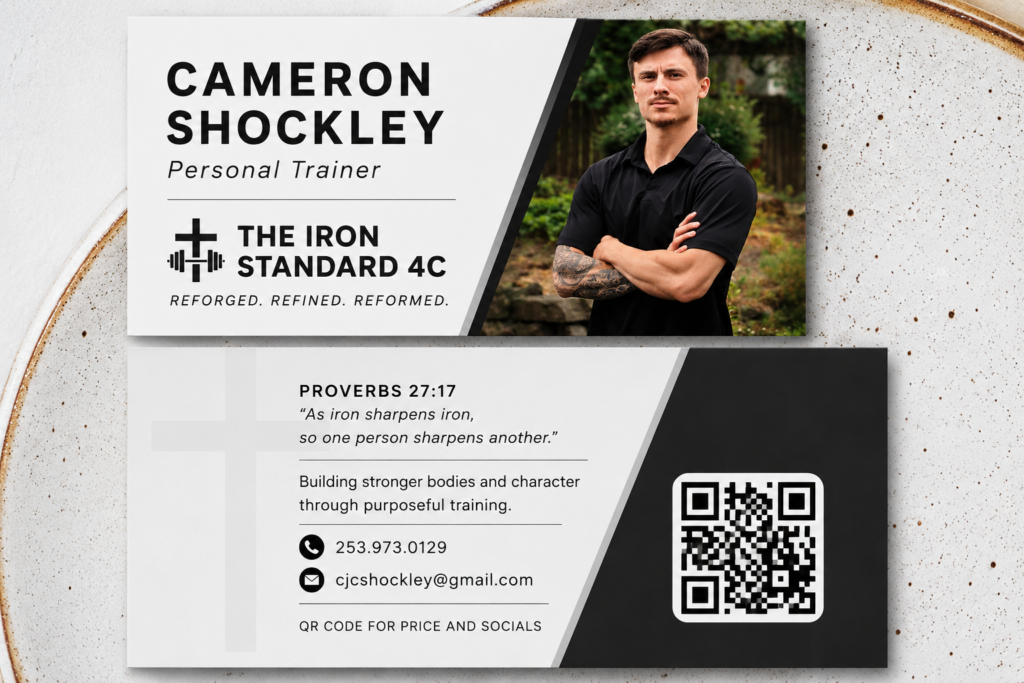
Why LLM Chatbot Business Card Files Are Usually Low-Resolution and the Wrong Color Mode
LLM chatbots generate images primarily for screens. They are not professional print design tools. The files they produce typically have these critical problems for commercial printing:
- Low resolution (usually 72 DPI)
Screen images are created at 72 DPI (dots per inch). Professional business card printing requires 300 DPI at the final size (standard U.S. business card is 3.5″ × 2″). A 72 DPI file looks sharp on your monitor but becomes blurry, pixelated, or soft when printed. Text and logos often look soft or jagged. - Wrong color mode (RGB instead of CMYK)
Chatbots output images in RGB (Red, Green, Blue) — the color system used by screens. Commercial printers use CMYK (Cyan, Magenta, Yellow, Black). When an RGB file is sent to press without conversion, colors shift. Vibrant blues can turn purple, bright greens can muddy, and reds can dull. What looked perfect on screen often looks different (and worse) on the printed card. - Missing print production requirements
- No bleed (the extra 0.125″ of background that extends beyond the trim edge so there are no white edges after cutting)
- No safe zone (important text and logos too close to the edge)
- No crop marks or proper trim size
- Often flattened, low-quality JPEG or PNG instead of a high-quality PDF with vector elements where possible
- Incorrect overall dimensions or aspect ratio for a real business card
These issues are why most print shops will reject or heavily warn about AI-generated chatbot files.
How Your Business Card Guy Converts Your AI Mockup Into a Print-Ready File and Gets It Printed
At Your Business Card Guy, we specialize in taking the design you’ve already created with an LLM chatbot and turning it into something that actually prints beautifully.
Here’s the simple process:
-
- Send us your design
Upload or email the mockup/proof the chatbot gave you (PNG, JPG, PDF, or whatever format you received). Tell us any notes about colors, fonts, or changes you want. - We convert it to a true print-ready file
- Upscale and rebuild the artwork to proper 300 DPI resolution
- Convert colors from RGB to accurate CMYK (with professional color management so the printed result matches your vision as closely as possible)
- Add correct bleed, safe margins, and trim size
- Clean up text, logos, and layout for crisp printing
- Prepare a high-quality PDF ready for commercial press
- You get a quote before we go to print
Once you approve the final design it's simply a matter of choosing how many cards you want and other options such as type of corners, card thickness or other things.*
- Send us your design
Once you've approved both the design and printing options we'll send an invoice. Once paid, your order will be started and then shipped directly to you!
*Cards can be printed standard professional 14 pt (or thicker 16 pt) full-color card stock with your choice of square or round corners OR we can do something fancier, such as raised foil, Spot UV, Suede Finish or others.
Free shipping to the lower 48 states is included.
Contact us for exact quote.
We also handle brand-new designs or can work from your existing print-ready files. Design fees for new or conversion work are typically modest and one-time.
Ready to Turn Your AI Business Card Design Into Real Cards?
Don’t let a low-resolution RGB mockup stop you.
Send us your design and we’ll convert it to a professional print-ready file and have high-quality business cards printed and shipped directly to you.
Your Business Card Guy — high-quality business cards that actually look and feel professional, at a great price, shipped to your door.
AI Logo Design Conversion
If you've used AI to create a logo for you as part of the business card, I can convert that as well!
When I convert your logo you'll get a complete set of files that you can use for screen/web/online uses, some print ready files (different color mode and resolution is used for printing) and most importantly some vector (editable) files. This allows you to use your logo for any other marketing things you might want to have made.